What Is Website Indexing? How Google Adds Pages to Its Search Index
What Is Website Indexing? How Pages Are Added To Google Search Index
For example, dive into the explanation of website indexing if you publish a new web page but can't see it in Google Search. Even if a page is hosted by your server and displays correctly on browsers, it could fail to be indexed by Google.
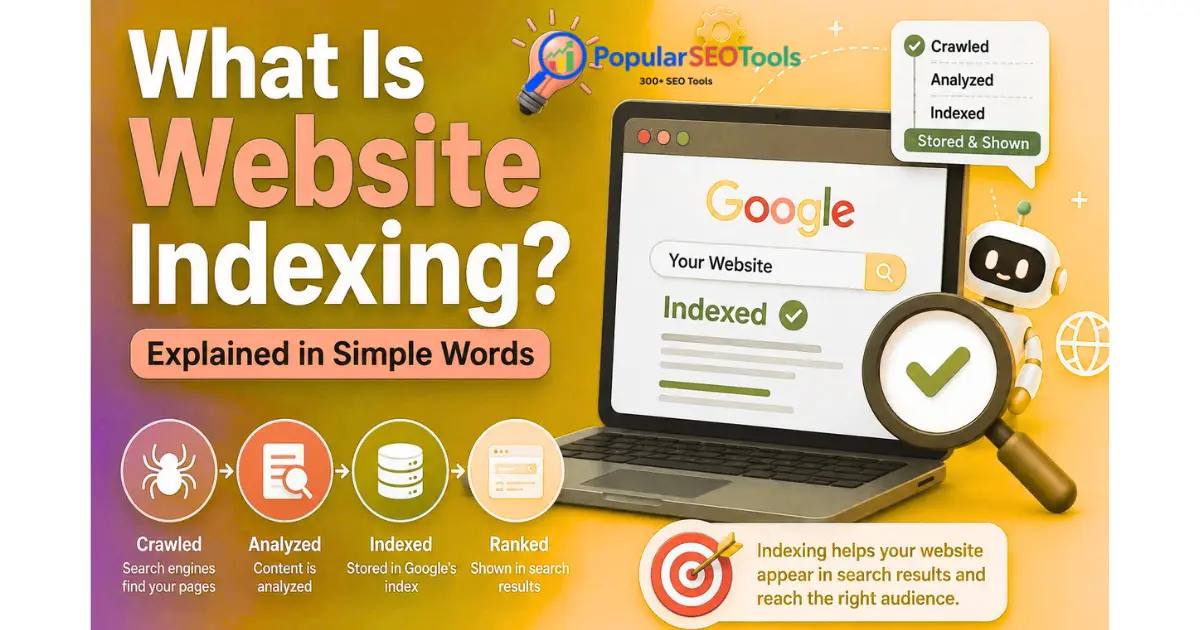
So, what is website indexing? Put simply, a website indexing is when a search engine reviews the data it found on your web pages and retains any relevant information in its search index. When a person puts something in the search engine, Google can pull from information living in its index to ascertain pages that match that page.
Indexing is just one step in the process. Google usually has to find a page, crawl it, comprehend and digest the content, decide if they should put it in the index and how their search engine will use you. In this article, I will explain how that process works both for improved understanding as well as what a website owner can do when the page is not indexed.
What Is Website Indexing?
Website indexing is when a search engine receives and processes the data about pages on the web into its index.
The index of a search engine can be compared to a gigantic file cabinet containing meticulously recorded data about pages on the internet that the search engine is aware of and has indexed. So when a user searches, the search engine can retrieve pertinent information from this index and not from that moment in time from all of the web.
Let us say, for instance you write an article How to optimise your images in order to get a swifter site This means your content is not appearing on Google search because it is being caught in one of the filters we have discussed. That page may then enter the queue of pages that Google indexes for potential queries where you search for relevant information if useful info about that page is added to Google's index.
A page is not guaranteed to rank well just because it is indexed. Indexing and ranking are distinct processes.
Explore How Google Locates and Indexes Web Pages
Web content discovery & processing Google Search systems utilize multiple stages to discover and process web content. The entire process can be summarized in below simplified manner of working:
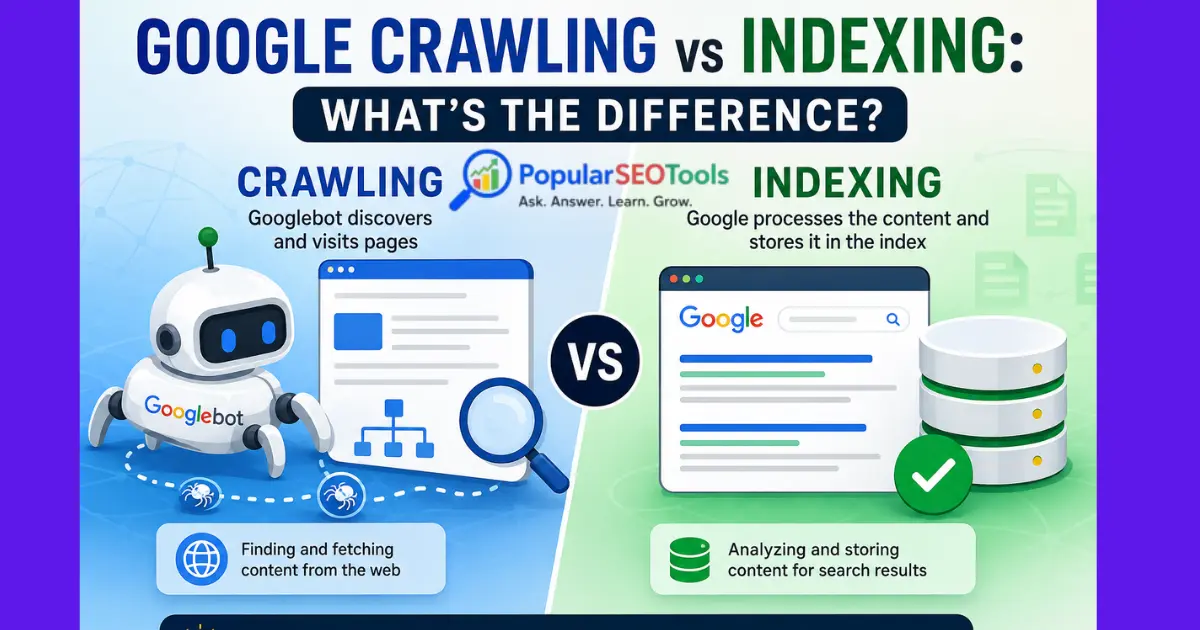
- Discovery: Google finds a URL through links, sitemaps, already-known URLs and other available resources.
- Crawling: Googlebot asks for and retrieves the page when Google's systems decide it should be crawled.
- Processing: Google makes sense of the page, its contents and other factors.
- Indexing: If the page is something that Google believes to be eligible and useful to include, relevant information about it may be filed away in Google’s index.
- Ranking: after a user runs a search, Googles systems decide which of the indexed results is the most relevant to that specific query.
These stages go together, but they are not the same thing. A page that may be discovered but not crawled, crawled but not indexed or indexed but without significant search visibility.
Step 1: URL is Found by Google
For Google to index a page, its systems often have to at least know that the URL is out there.
URLs may be discovered by Google through several means. Internal and external links are primary sources of discovery. When a masse have many pages, XML sitemaps can be used by Google to get to recognize URLs of that site.
For example, imagine you publish:
example: com/blog/website-indexing-guide
Google could find that new URL when it crawls another page on your site that's linking to this article. A URL as well can be provided a detail with an XML sitemap.
Nonetheless, this does not mean that Google will eventually index any URL you submit or include in a sitemap.
Step 2: Your page gets crawled by Google
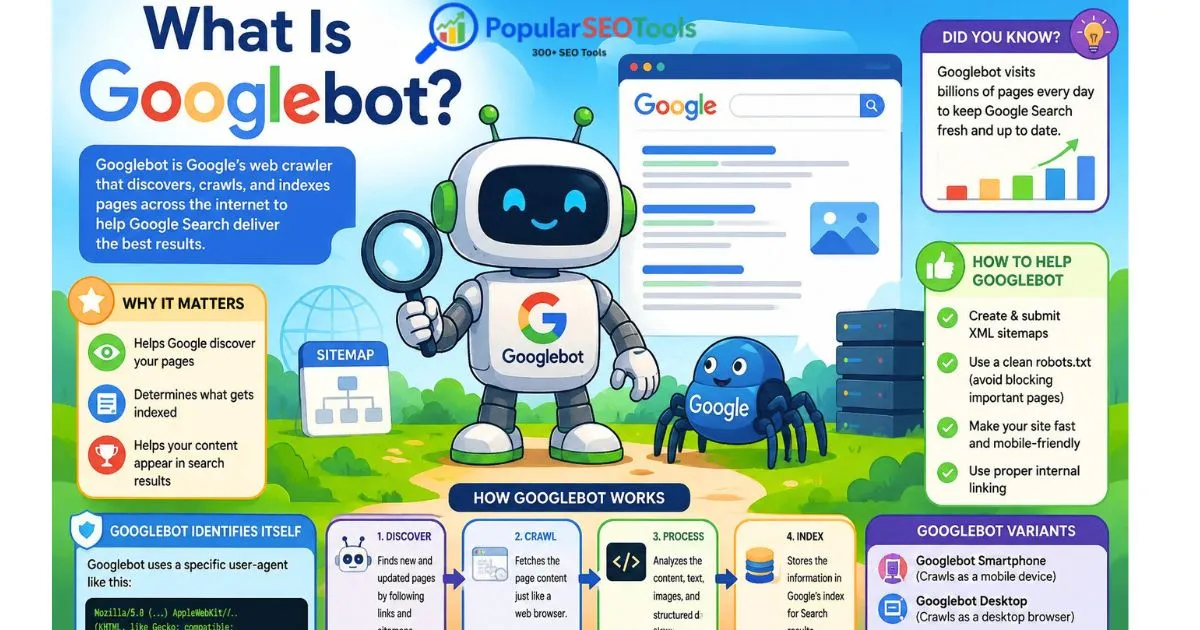
Once Google finds a URL, they might ask the page from Googlebot (Google's web crawler).
Crawling is the process of downloading the URLs resources so that Google's systems can ingest the page. Crawling — including factors such as server availability, crawl capacity, URL discovery and any technical restrictions.
For example, a page that Googlebot is unable to fetch (because the page is blocked from crawling) cannot be properly processed.
What Can Prevent Crawling?
- A robots. The robot that crawls a URL The robots.
- The server may choose to return an error (for example; 5xx response).
- Third possibility: Because of authentication or something, maybe this page is not accessible
- The technical issues might hinder Googles success in obtaining important properties.
- A website is having poor internal links which lead to hard URLs to discover.
Space between the crawling and indexing — this is the scope of crawlers. Just because you are allowing Googlebot to crawl page, does that guarantee it will get indexed by Google?
Your query Step 3: Google is now processing and comprehending the page
Once google fetches a page, it works with the data it can find. This includes examining the visible words on a page and other signals so its systems can figure out what a page is about.
When appropriate, Google may also process links, structured data, canonical tag information, language, images and other resources on the page.
This is why even a technically accessible page should contain appropriate, valuable content. Search engines need sufficient information to deduce the page's purpose and its relationship with the other content on your website.
Step 4: Google Chooses to Index the Page
Crawled pages are not always indexed by Google.
There are a lot of signals Google looks at when determining which content to surface and how it should be surfaced in Search. That is, whether or not a URL gets indexed or not can depend a bit on duplicate pages, technical issues, low-quality content and restrictions to access among other factors.
A page can therefore be:
- Discovered but not crawled.
- Crawled but not indexed.
- Indexed but not ranking prominently.
- Indexed and showing up for some relevant searches
This distinction is critical when it comes to diagnosing issues with site indexing. It Having a URL does not mean that in fact, Google has failed to index it.
Step 5: Indexed Pages Can Appear in Search Results
Once a page is indexed in google, it can potentially be factored into someone's search results.
However, indexing does not mean that your pages will rank. When determining which pages (that have been indexed) should surface for a query, Google's ranking systems take the following into consideration.
As an example, both pages could be ranked for the same topic but one may outrank the other because its content is closer relating to what a user has searched for or there are some signals that influence rankings.
Why Is Website Indexing Important?
At the simplest level, indexing matters because a search engine needs to know what is on a page in order for that page to be eligible for organic search.
When a website owner publishes, indexing becomes even more important:
- Blog posts
- Product pages
- Service pages
- Documentation
- Landing pages
- News and informational content
- Category and resource pages
Unless the page have an issue with visibility title optimization or targeting further keywords does not help if it is not indexed asap.
How to Check Whether a Page Is Indexed
If you own or have control over a website, Google Search Console is one of the most valuable tools available for testing how it processes URLs.
URL Inspection tool in Google Search Console
- Log in to Google Search Console found on your verified property.
- Type in the full URL of your page into the URL inspection tool.
- Review Google's reported status.
- Look for the availability of URL on google and crawling problem here.
- Once you have resolved the issues then use the request-indexing option provided to you (if relevant).
Indexing request is a method to send Google an already-crawl URL. Or, there is no guarantee that the page will be indexed or show up in search results.
Do a Quick Site Search
And when the example is not needed, you could search like:
site:example.com/page-url
This can serve as a sort of instant look-up to illustrate whether or not there is any Google response for such URL or site. But it shouldn't be a substitute for Search Console when you needin-depth diagnostic view.
How to find out why your page is not being indexed by Google
Not every page is indexed for a single reason. Determined by the site's technical setup and then the actual page content, Google also needs to process the URL.
1. The Page Is New
This might be a newly published page that hasn't been found or indexed yet. New URLs also take a while to be discovered and crawled by search engines.
2. The Page Has A Noindex Tag
A page with a noindex directive, for examplemight be telling search engines not to index the page. This means, if a critical page mistakenly got noindexed, it would not show in Google Search.
3. The URL Is Blocked by Robots. txt
A robots. The txt file can control whether crawlers were allowed to crawl the URL paths or not. If a page is blocked from crawling, then Google may not be able to understand the page at all.
Remember that robots. How? Because be working with txt and noindex is completely different. A robots. The txt rule controls crawling and a noindex directive is used to request that a page not be indexed.
4. There was a technical error with the Page.
Server errors, wrong redirects or unreachable resources and various other technical issues can cause problems with crawling and processing.
5. The Page Is a Duplicate
There are many URLs on the websites that contain the same or very similar content. Instead of indexing all the duplicate versions separately, Google often will pick one URL to serve up as the canonical version.
6. The Content Lacks Sufficient Value - Ambiguity
Web pages that spark no light of original and usefulness have trouble getting peeking by search engines. Filling pages with marginally altered content is not a sustainable indexing practice.
7.Internal Links Are Weak
This makes it harder to find and understand the page, especially when dealing with bigger sites where an important page has few internal links pointing to it.
How to Improve Website Indexing
You can't make Google index each and every one of your pages, but you can definitely make significant steps to help get important pages sooner into the discover -> crawl -> understands cycle.
Make a Well-Structured Internal Linking Strategy
Link from relevant pages on your site to important pages. So, a piece of in-depth content about technical SEO could easily link to related topics like crawling, indexing or Google Search Console.
Applicable Tips: Use descriptive anchor text that lets users understand what they will find after clicking here
Maintain an Accurate XML Sitemap
An XML sitemap is the best way to help search engines find your important URLs. Sitemap keeps on the URLs which you have an intention that search engines should take them into higher consideration.
The sitemap should not be considered a guarantee on indexing. First and foremost is a discovery tool.
Check Indexing Directives
Check your main pages on accidental noindex directives, wrong canonical URLs and any technical configuration that could prevent the page from being indexed.
Improve Content Quality
All significant pages must have a reason for being and contain information of real value for its target audience.
Don't create a lot of very similar pages just because you want to hit slightly different keywords. Instead, a more compact but curated list of useful pages can prove to be beneficial and easier for the user as well as those who maintain it.
Keep Your Website Technically Accessible
Ensure Internal Pages Has Link Equity Keep an eye on server errors, dead links, redirects and other technical issues that can get in the way of access.
Website Indexing, Crawling and Ranking
These three things are often muddled together, but refer to different aspects of the search process.
|
Term |
What It Means |
|
Crawling |
Search engine systems crawl the internet to get pages and ans, etc. |
|
Indexing |
Search engine systems go through qualifying pages and index this information |
|
Ranking |
Search systems select the most relevant indexed results for a user's search. |
This difference is a great help when troubleshooting SEO. Main issue is that if its not indexed, you cannot makage rankings. First, identify why the page has not been indexed by Google.
Common Website Indexing Mistakes
If publishing is interpreted as indexing: Publishing a URL does not imply that this is indexed by Google.
More confusion between indexing vs. ranking: The page has indexed but now is still getting no or very little search traffic
Accidentally applying a noindex: Look for indexing directives on key pages.
Blocking important pages with robots. txt: Check crawler accessibility during troubleshooting
Overlooking canonical URLs: Canonical signals are a way of pointing to the URL that should serve as representing duplicate content, and an incorrect signal could confuse your readers or search engines.
Having long duplicate pages: More URLs do not equal better search visibility.
Sitemap submission only: While a sitemap can aid in discovery, it does not mean the page will get indexed.
Limiting Google Search result checks: Search Console has more relevant data for troubleshooting individual URLs.
Website Owner Google Indexing Checklist
Basic overview: When a page is not showing up in Google.
- Ensure that the URL is also renders fine.
- Inspect the URL using Google Search Console
- Check if there was an Error Indexing or Crawling
- Find out if a noindex directive exists.
- Review robots.txt rules.
- Check the canonical URL.
- Include relevant internal links on the page.
- Make sure the URL is included in a relevant XML sitemap where appropriate.
- Look for unsimilar or repetitive content.
- Ensure clarity of purpose and helpful content on the page.
- Check for technical issues first, then index repeatedly.
Is Google indexation guaranteed when you request for indexing?
No, by submitting indexing request through Google Search Console does not means that Google will crawl or index a URL.
Even if you published or very significantly updated an important page, the request can be handy as a tool, but it should not be used as a workaround for technical or content-quality issues.
Review the technical aspects, content, internal links and canonical signals of that URL through Search console and not make repeated requests over time to the same page.
How website owners should think about indexing
Indexing can be approached in four questions
- Can Google discover the URL?
- Is the URL crawlable by Google?
- Is your page understandable and processable by Google?
- Why should this page ever be a part of Google's index?
This is better than assuming all your indexing problems call for the same solution.
Submitting a sitemap, for example, might assist with discovery but you will not remedy a page that uses an accidental noindex directive. Likewise, fixing your content will not fix a server error that prevents Googlebot from crawling the page in the first place.
Why Indexing Is Important for Bloggers, Developers and Marketers
For bloggers, indexing is what determines if new articles can potentially appear in organic search.
Indexing is critical for technical implementation for developers. Canonical tags, robots. Things like robots.
For Digital Marketers and SEO specialists, indexing is the area of diagnostic that you can not miss. It helps to understand if the important URLs are actually found in search index before you start analyzing rankings or organic traffic.
Indexability is particularly significant for sites with a lot of pages as you might well end up generating thousands of URLs via categories, filters, parameters, archives or other sections on the site. You are trained on data in tow for any URL generated is not a landing page or an important search.
Final Thoughts
So, what is website indexing? It is a process where search engine crawls information about the pages that it finds out and keep qualified information in its index so that it can certainly show results in the future.
But Google's process of publishing a page is not as simple as just doing so. This means that Google must find the URL, fetch it, parse its contents to see what it contains and "decide" whether / how to index it. Ranking is a different process than indexing.
If you are working on a site, let's go back to the fundamentals; create pages that users find useful, logical internal links, tidy sitemaps, no unintentional indexing blocks, pay attention to technical errors and leverage the Google Search Console while checking individual urls.
If you are reading PopularSEOTools and are not aware of indexing, it will be a great base to learn more about technical SEO, crawling, search visibility and optimization. You will find SEO and website-analysis resources on PopularSEOTools related to the next steps you can continue using to investigate insights and enhance your technical health for your site until October 2023.
FAQs
In simple terms, what is website indexing?
Website indexing is known as the process wherein a search engine attempts to digest info regarding a webpage and lists in its search index any information deemed appropriate. Search queries that correspond to those indexed pages can be across different channels.
Time from uploading to Google indexing?
There is no set period of time that relates to every single URL. Depending on the website, URL, technical conditions, and Google's systems, new or updated pages can be discovered and processed at different speeds. Asking for indexing does not mean that it will have a fixed time to process.
Is it possible for Google to index a page that is not included in an XML sitemap?
Yes. An XML sitemap is assistance to get URL discovery but every page does not have to get indexed. These URLs can be found from links or other means.
What is Google crawling and Google indexing?
Crawling means that Google fetching the page and its resources. Indexing its the process of processing information about a page, and arranging these in Googles index possible. A page can be crawled but not indexed.
If a page gets indexed will it automatically rank in the first page of google?
No. Indexation merely places a page among the candidate pages for relevant searches. Ranking is the process that determines where and how results appear for any particular query.
How I can delete a page from Google?
Depending on the specific case, website owners have a couple of tools at their disposal to control how pages appear in search. Forcing removal with noindex, temporary removal requests, or by other means may be appropriate in certain situations.
Some pages on my website are indexed but others are not?
Various technical configurations, content, canonical signals, internal links and discovery path can differ between various URLs. Google indexes pages on an individual basis, so just because one page will index, does not mean all pages for a single Site will.
Popular Tools
Recent Posts