How Does Google Search Work?
How Does Google Search Work?
In practice, when you type a question, phrase, or website name into Google (or search engine) you can quickly be able to receive useful results in less than a second. So how does Google go about finding those pages, understanding what they are all about and deciding which results are going to show up first?
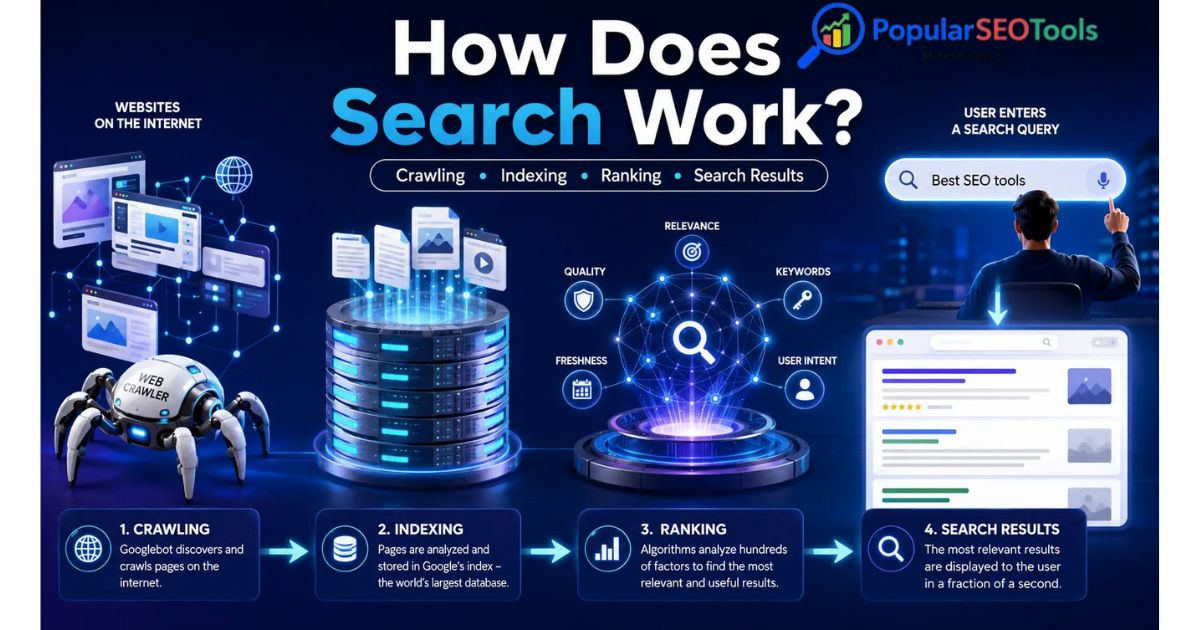
Something you should know, getting to grips with how search engines work is a three-part job: crawling, indexing and serving. Automated systems help Google find out about pages on the web, what those pages are about, adding them to its index and then surfacing relevant results when someone makes a search.
It applies to anyone who publishes content online. Being aware of what the basic workflow is can help Website Owners, Bloggers, Developers and SEO experts with diagnosing indexing issues as well as making pages that are more understandable for users and search engines alike.
What Is Google Search?
Google Search is an automated search engine that retrieves information from Google's web index. Google does not requery the live internet every time there is a search query. Instead, it pulls potentially relevant information from a massive search index and then decides the best applicable result depending on your query.
Google breaks down Search into three primary phases:
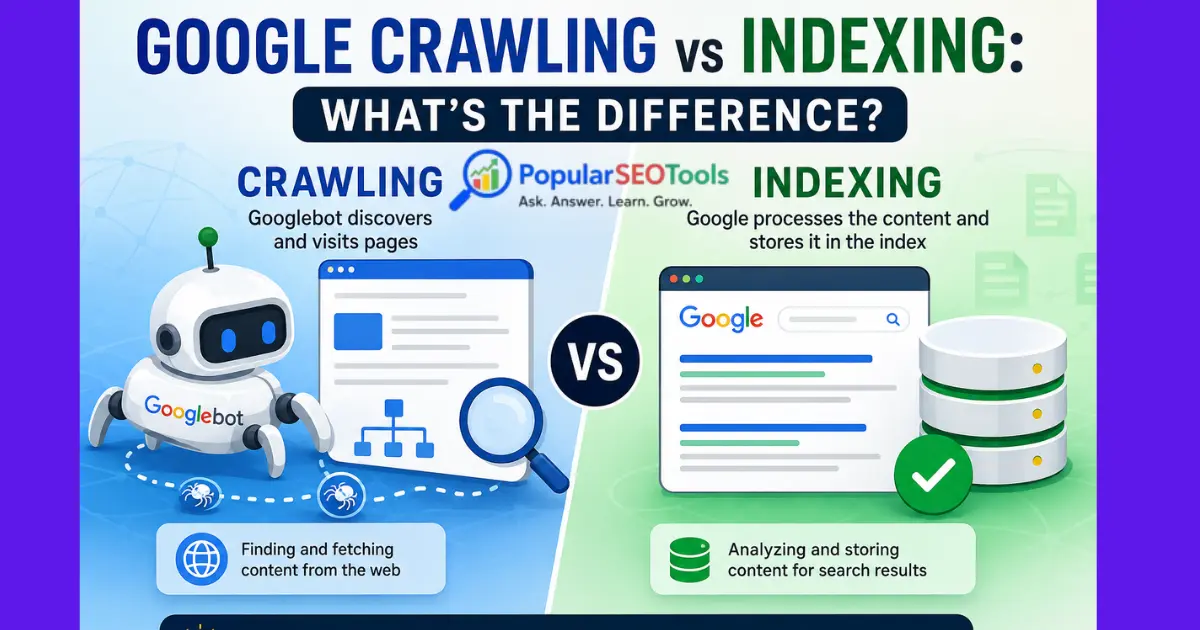
- Crawling: Google’s processes for discovering and accessing pages on the web.
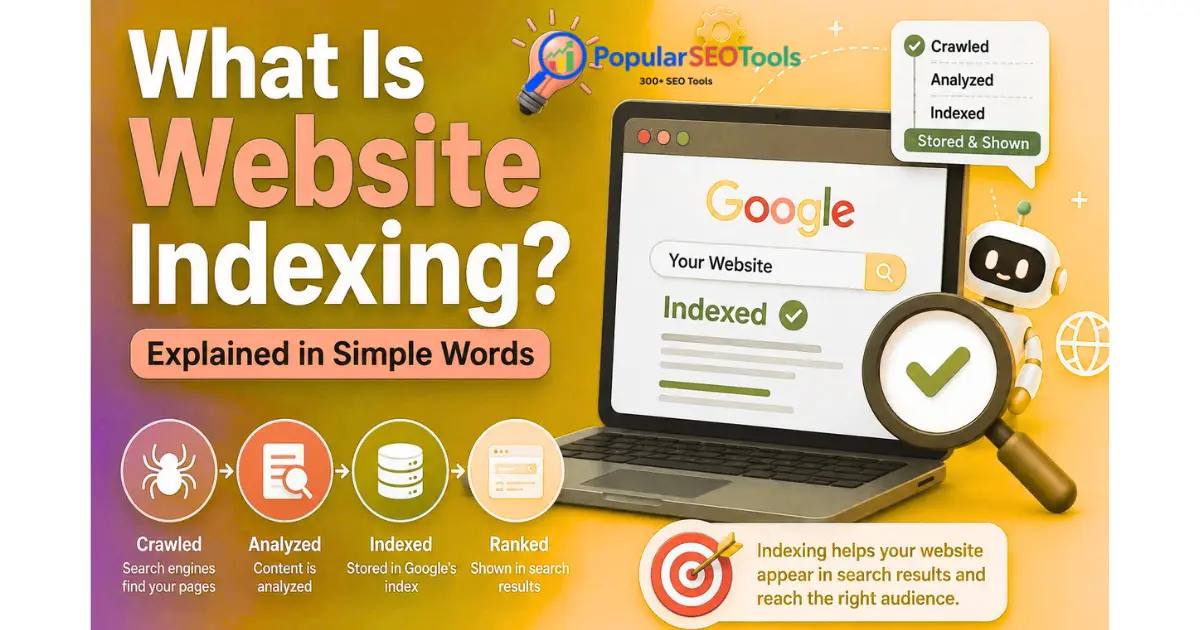
- Indexing: Google processes the data obtained from crawled pages and saves relevant information in its index.
- Handling Search Queries: When a user searches for something, Google's systems search the index to match what they were looking for and rank results for that search.
In reality, not any given page necessarily executes all three stages. A page may be unreachable by Googlebot, blocked from indexation, duplicate or otherwise selected out of Google's index.
Explaining Three Main Phases of a Search Engine
1. Web Crawling: Discovering Web Pages
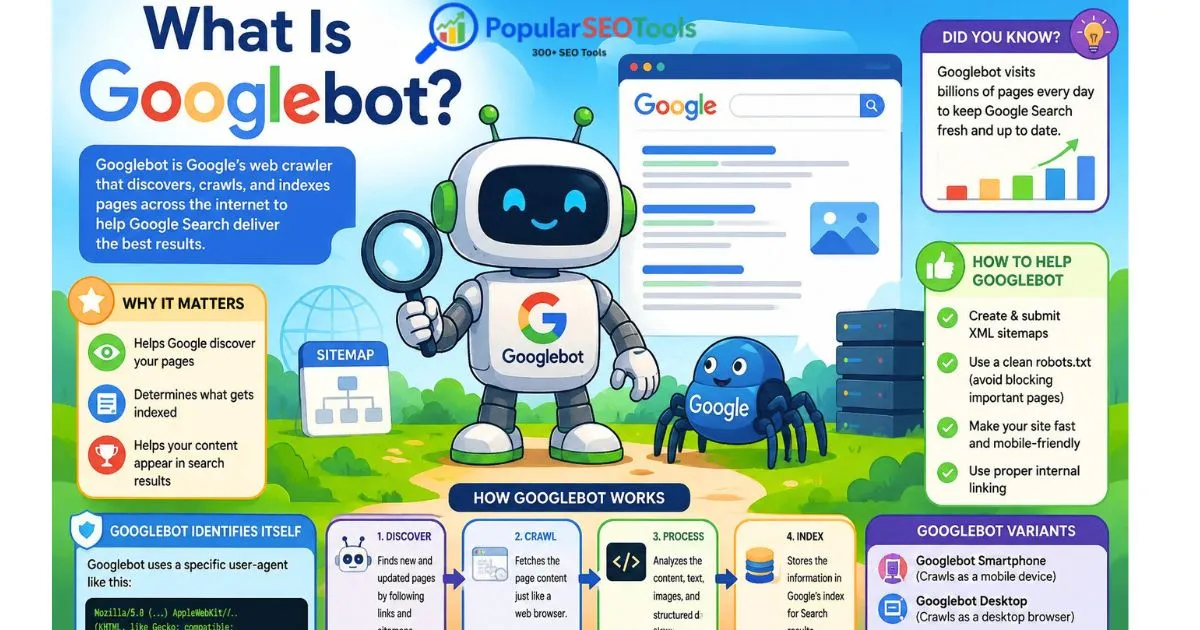
It collects the webpages by crawling through them from one to another. Google has an automated crawler called Googlebot.
There is no one central list of every single web page on the internet, so Google has to have ways for discovering URLs. Links from pages already known to Google, submitted sitemaps, and other discovery mechanisms may all lead a new page being discovered.
As soon as Google is aware of a new URL, Googlebot can crawl it and request the page. When Google crawls a page, they are able to access page resources and render the page (including executing any JavaScript if necessary) in order to see what that content is.
For more clarity, lets say that you just published a new article around keyword research. A link from an already known URL that leads to your article allows Google to be directed towards this new page.
Its a Sitemap allows Google to discover URLs that are important for your website as well. Please note however this does not mean all URLs will be crawled or indexed.
2. Indexing: Understanding and Storing Content
When Google crawls a page, its systems process the information they discover. This process is called indexing.
Google can examine components including the text rendered on a page, its title, visuals, movies, and various other details linked along with it. Lower also recognizes the similar/duplicate pages and picks a canonical version where required.
The data that Google finds valuable can then be archived in its search index. Consider the index like a gigantic hierarchal bucket of links that Google can pull from when a query is performed in their systems.
But crawling and indexing are not the same thing. In the context of SEO, a page can get crawled but does not mean it will be indexed. Google has made it clear that indexing is not guaranteed.
3. Serving and Ranking Search Results
For example when you search Google, it understand what is your requirement and based on that it automatically fetch the relevant information from its index.
This results are then filtered through their automated ranking algorithms that help show us the most relevant and useful result against a query. From October 2023 – Note that Google employs when ranking content, and the end result will depend on a number of factors, including query, language< location and device.
Your data only goes up to October 2023, hence two people can sometimes experience slightly varying search results for the same query. For example, a query for a service nearby may yield geo-relevant results based on the physical location of where the searcher is located.
What Happens When You Go to Google and Start Searching
For example, the search query how to make website speed?
A simplified explanation of what happens is as follows:
- You run the search term to Google.
- Google knows the words and decides what those meanings could be.
- Its systems scan the search index for information that they believe may be relevant.
- Using hundreds of signals, ranking systems assess the results it has to work with.
- This is entirely determined by Google and what search features and results should be displayed for an search.
- You will see the results page, or SERP.
The key points here are that Google is not merely searching for pages containing the exact words you entered. Modern search engines try to decode the underlying meaning and intentions behind a query to retrieve meaningful data.
What Is Search Intent?
Basically, search intent means what a person is trying to achieve with a search query.
Now these search have completely different intention:
- "What is technical SEO?" — the user wants information.
- Keyword — "SEO audit tool" — User intent type: Tool solution
- Google search console — The user may be trying to reach a specific service.
- "Keyword Research Tools Comparison" the user compares possible solutions.
It is important to understand intent as a page can have relevant keywords but still not provide what the searcher is looking for.
This means for website owners, their content should help the user answer the real question behind their go to query as opposed to just using a keyword repeatedly throughout the page.
How does Google assess the relevance of results
When generating search results, scan the many signals and systems that our ranking systems evaluate. Not one ranking factor can rule all results.
Google says its automated ranking systems are designed to recognize the most relevant and helpful content from all of what is available to be indexed. Various searches can need various results and search features.
Some important concepts include:
- Relevance: Determine whether or not it is on topic to the user query.
- Content understanding: What the page is and what story it tells.
- Language: The language in which the query and content are written.
- Location: This is particularly critical for local intent searches.
- Device: Search experiences can differ with devices as well.
- Page-level signals: The system is trained separately for each signal—a page (system) will be ranked using one set of signals and then each multiple system.
None of these factors indicate that there is a flashing indicator for how to secure a particular role. Search ranking is a lot more complex than putting a keyword in X number of places.
What Is the SERP?
This is what a SERP (Search Engine Results Page) looks like. That would be the page that comes up after you enter a search term.
Results that include the SERP: all types of results you will find on a SERP, which are dependent upon who Google thinks is relevant to your query. Depending upon the search, users may see both standard organic results, and images, videos, local results or other types of search features.
Queries like "weather today" have a very different intention than queries like "how to build a WordPress website". To this end, Google is able to show a different type of information for each search.
How to Differentiate Between Organic Search Results and Paid Results?
A lack of competition comes with organic search results, which are unpaid results that Google's ranking systems play a part in con. No if it was simply paying Google to have a higher organic rank on the website.
Paid ads are an outside part of the search experience. Advertising does not give one page a better organic ranking over another. Google also says you cannot pay to have website pages crawled more frequently or rank better in organic Search.
|
Organic Search |
Paid Advertising |
|
Ranked by automated search systems |
Shown through advertising systems |
|
Not purchased as an organic ranking position |
Needs a campaign and such budget |
|
Can generate unpaid search traffic |
Paid placements from within the top Google search results |
Why Is Not Every Webpage Indexed by Google?
Just because you create a new web page it does not mean Google will index or show that in Search.
Common reasons include:
- The url has not been found by google.
- Googlebot cannot access the page.
- Crawling or indexing of the page is disallowed.
- The page has technical problems.
- This page is a duplicate or alternate of the following pages
- The page was crawled, but has not been included in the index
- Page indexed but not relevant to a specific searcher intention.
Google's technical requirements — enabling Googlebot to access the page; returning a 'success' HTTP response code; and indexable content. Even after meeting these minimum requirements, getting indexed or ranked is not a surety.
What Google Search Console does for website owners
Google Search Console can particularly provide you with a useful insight when you are trying to understand how Google sees your website.
Its most helpful feature is arguably the URL Inspection tool. It gives you details on what URL was indexed by Google and can test the live page of a website.
- Which – and in what way – with respect to each question, you can use it to give some answers like:
- Has Google discovered this URL?
- Is the page indexed?
- Could Google crawl the page?
- So, which one did Google pick as the canonical URL?
- Is there any indexing issues that needs to get fixed?
It also allows you to submit an individual URL for indexing when necessary. The request simply means you are asking Google to index or rank the page.
The Relationship Between SEO and Google Search
No secret tactic will compel Google to elevate a page to the first position on their listings. SEO is how search engines find and understand useful content and serve that up to the right audience.
Now, an SEO infrastructure for a website owner may look like:
- Instead, write high quality content that is going to answer a real search intent.
- Provide solid descriptive titles on the page.
- Organize content with meaningful headings.
- Establish a coherent internal link structure
- Make sure search engines can reach important pages.
- Use descriptive URLs where appropriate.
- Make sure you have text to the point along with images, pictures, media (where relevant)
- Track indexing and search performance via Search Console
- It Fixes those problems that are either incapable to view or comprehend a page that these pages are vital.
These are practices that help with search visibility but do not guarantee a particular ranking position.
Google Search and Indexing Mistakes
Only focusing on keywords
Just because a keyword is used many times does not mean a page will be useful. If we really want to give our answers more strength, we need to comprehend the question behind the search and for that get a complete response.
Assuming crawling means indexing
When a Googlebot visits a page, it is not necessarily the same as adding that page to Google's index. Crawling and indexing are actually two different stages.
Ignoring technical accessibility
Search visibility is, however, hindered if Googlebot fails to access critical pages Check server errors, robots. txt rules, indexing directives, and other such technical obstacles.
Expecting immediate rankings
Creating a new page does not mean it will be indexed immediately, nor that it will show in the search results. Google says that crawling and indexing are dictated by so many variables and cannot be promised on a set timetable.
Confusing indexing with ranking
It's possible for a page to be indexed, but have its ranking below the first page or pages of results when searching on a specific term. Just because you are eligible to show up in a Google Search does not mean you will rank well.
Basic Checklist for Website Owners
If you have a new page that you published, and want to make sure the fundamentals are taken care of with this checklist:
- Ensure it is a public page.
- Verify that the server sends back a successful response.
- Ensure that search engines can find important content.
- Verify whether any unnecessary noindex directives exist.
- Review robots. txt rules when troubleshooting crawling.
- Add internal link to New Published Page from relevant pages of your website.
- Update your sitemap when necessary.
- Examine critical hyperlinks in search console
- Deliver content that meets up to the searcher all actual demands.
- Instead of based on one query, keep an eye on your search performance.
Google Search in a Single Example
For example, you wrote an article on "How to make your WordPress website faster?"
- Discovery: Google finds out about the URL, maybe through internal linking or a sitemap.
- Crawling: The page is fetched by Googlebot and its content is made available.
- Rendering: Google may crawl the page and its resources for rendered content.
- Indexing: Google checks the page and saves specific data.
- Search: Has someone typed in searching for how to speed up wordpress.
- Ranking: The systems at Google evaluate pages that may be relevant to the query and pick results for that query.
- ResultSet: The results selected from the SERP.
This is an oversimplified example but it highlights the key difference between getting a page to be discovered, getting it indexed and where we actually earn visibility in relevant searches.
Final Takeaway
That is a huge simplification of how Google Search works; most marketers find it easiest to understand search engines when they treat the process as three major stages: crawling, indexing, and serving results.
Googlebot finds and crawls pages on the web, Google's algorithms process information in the index, and ranking systems decide which results are most relevant to a query. Before it can compete for organic search visibility, a page needs to be accessible and probably indexable.
For site owners, this means checking key pages for crawlable and indexable content, useful content and search intent. Google Search Console helps you investigate individual URLs that are not being indexed properly.
You can also find related resources here at PopularSEOTools that will help you with your website, content and SEO-related processes.
Frequently Asked Questions
How long does it take for Google to index a new page?
It has no indexing time. It all depends on the site, URL, crawl availability and other. This is because Google does not have a set schedule for indexing.
Are you trained on the entire internet?
No, Google finds and crawls a massive amount of web content but that doesn't necessarily mean they will crawl or index every discovered URL. The process may be influenced by access restrictions, technical problems, duplicate content, and more.
Having a sitemap, does it mean you can index?
No. While a sitemap is useful for Google to find URLs as well as know which pages are important by you, it does not guarantee the crawl and Search ranking of them.
Is it possible for a page to get indexed yet not rank well?
Yes. Indexing = Google added this page to its index, however ranking = the relevance and usability of the page for a specific search query as well as signals used by Googles' ranking systems.
Googlebot vs Google Search: What Is The Difference?
Googlebot: Google's web crawler which is used to find and fetch content across the internet. Search is none other than the big system common in Google, which collects and processes data based on user queries; ultimately generates search results for users based on that data stored in its memories.
Why Different Users Are Shown Different Google Search?
Search results may change because different systems attempt to tailor the search results based on a specific query and can take into consideration context signals like language, location, and device. Also different types of search features can be triggered for different searches.
How do I know if Google has indexed my page?
If you own the site, use the URL Inspection tool in Google Search Console to review what Google knows about a particular URL and diagnose indexing issues.
Popular Tools
Recent Posts